


SHOPPING GUIDE
B1
SEARCH FOR FAVORITE PRODUCTSCustomers can search for products in 2 ways:Method 1: Enter PRODUCT CODE into the search bar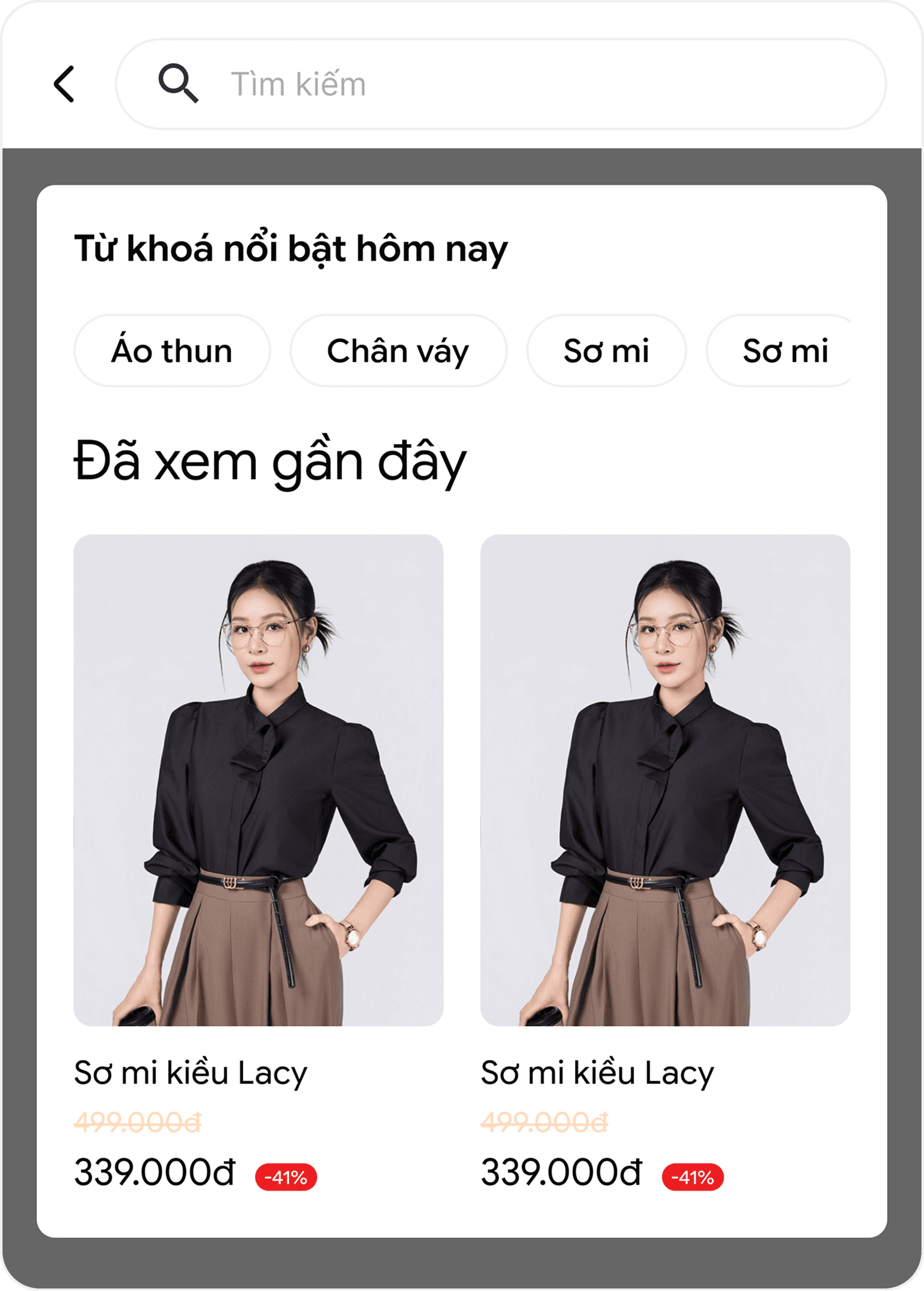
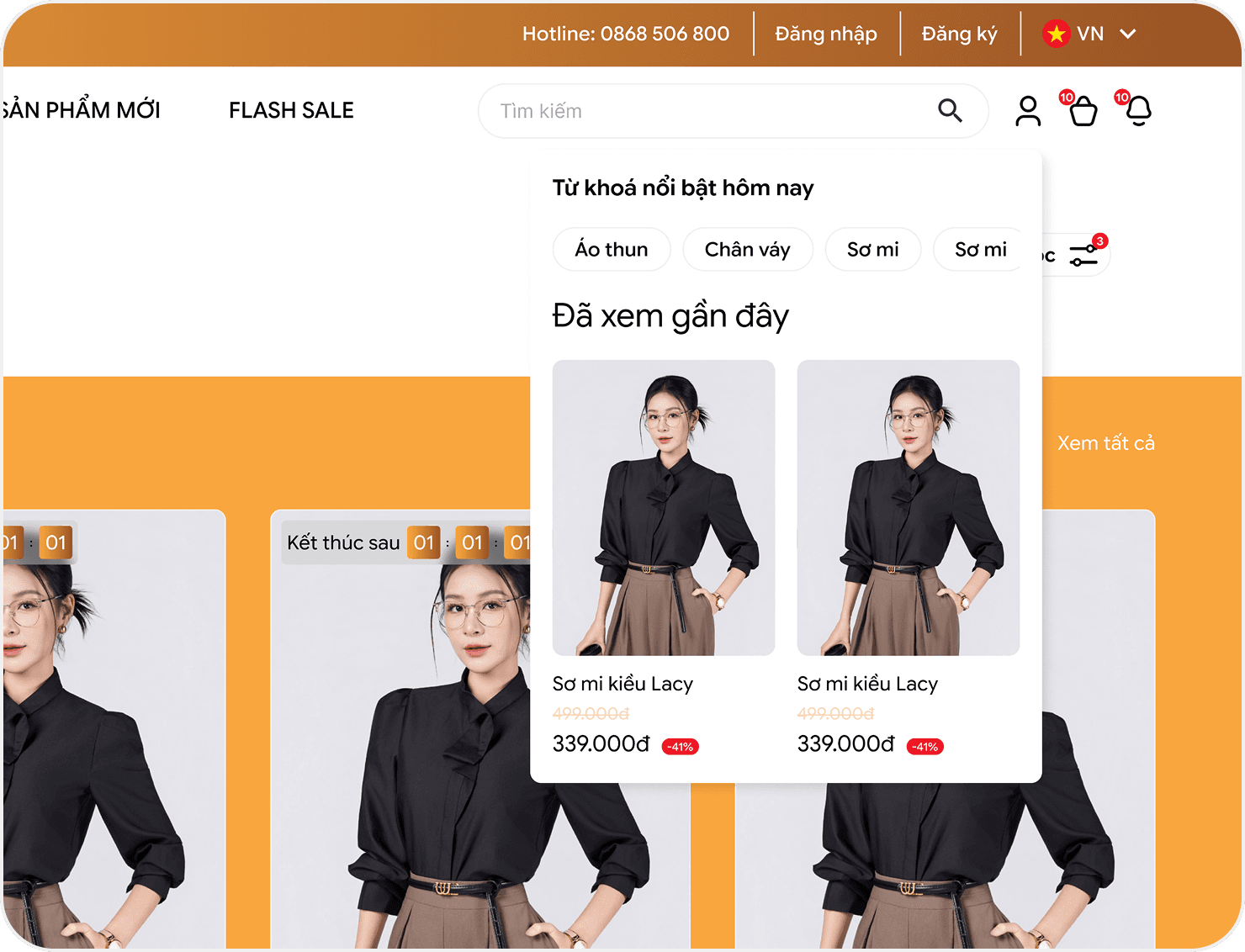 After searching and selecting your favorite product, please choose COLOR - SIZE - QUANTITY of the product you want to buy. Then proceed to purchase by clicking the "ADD TO CART" buttonOnce you have selected all the products you need, click on the "CART" icon in the top right corner of the screen. You can add/remove product quantities in the "VIEW CART" section and enter discount codes in the "ENTER DISCOUNT CODE" section (if available), then click "PLACE ORDER" to proceed with online ordering
B2
ORDER PAYMENTOn the payment page, customers log in/create an account or fill in complete shipping information before proceeding to the next step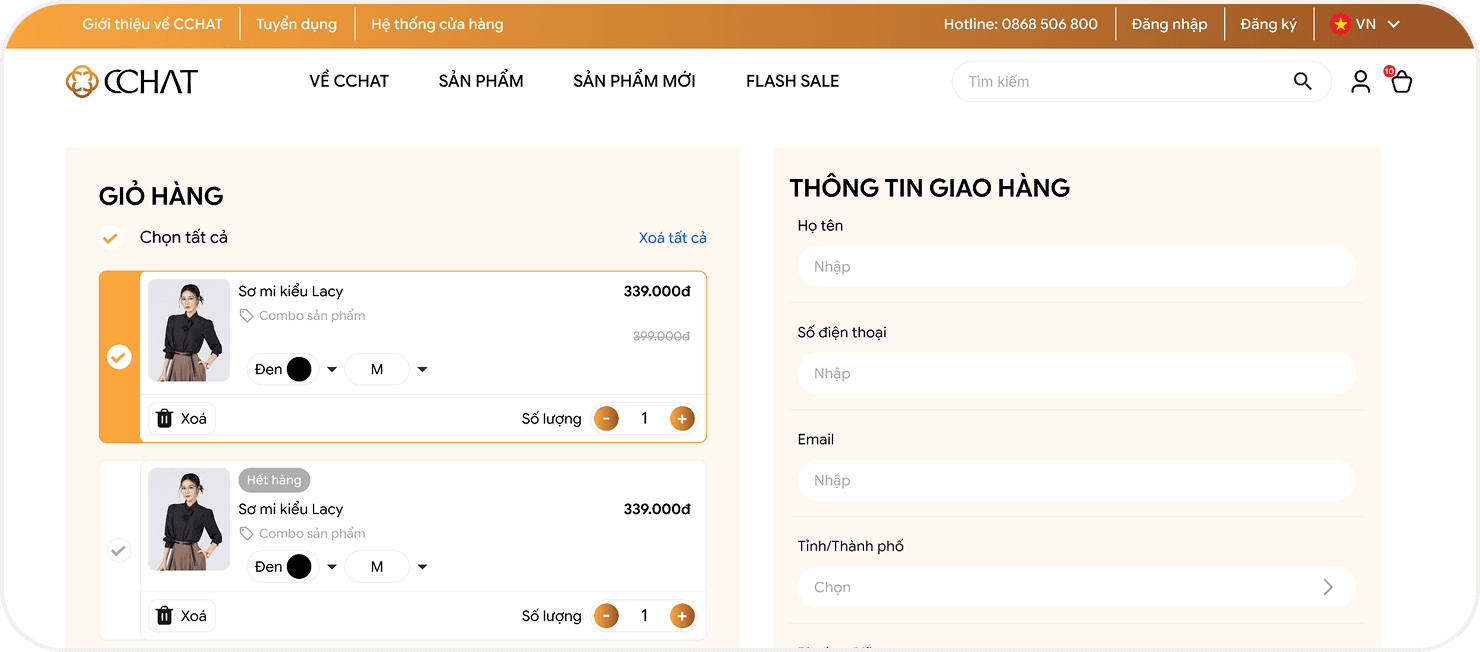 Nationwide deliveryShipping fees are based on order weight and delivery locationYou can use one of the following 4 payment methods: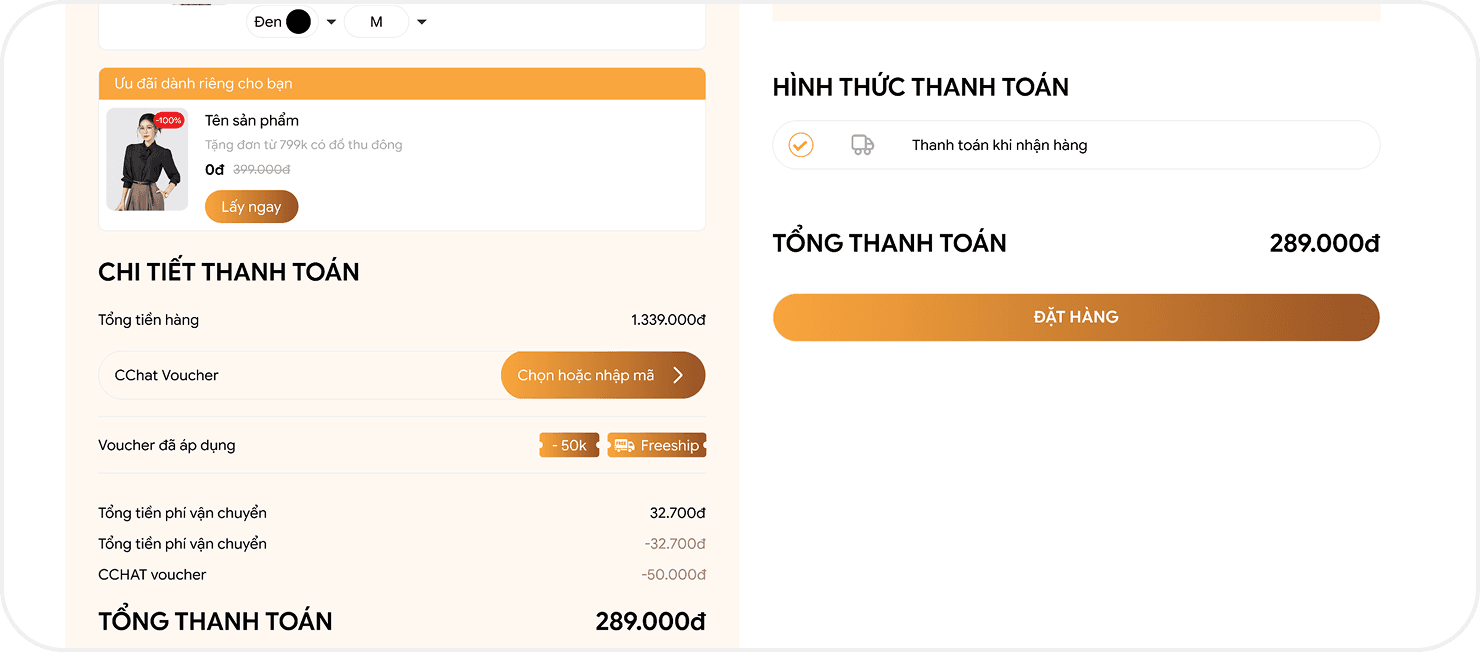
• Cash on Delivery (COD)• OnePay International (Visa/Mastercard)• OnePay Domestic (ATM Card)• QR Payment (VietQR)
B3
ORDER CONFIRMATIONCase 1:For customers who already have an account on the Website and logged in before shoppingAfter completing the online shopping process on the Website, please click on the account section in the top right corner of the screen, select "ORDER HISTORY" to track your order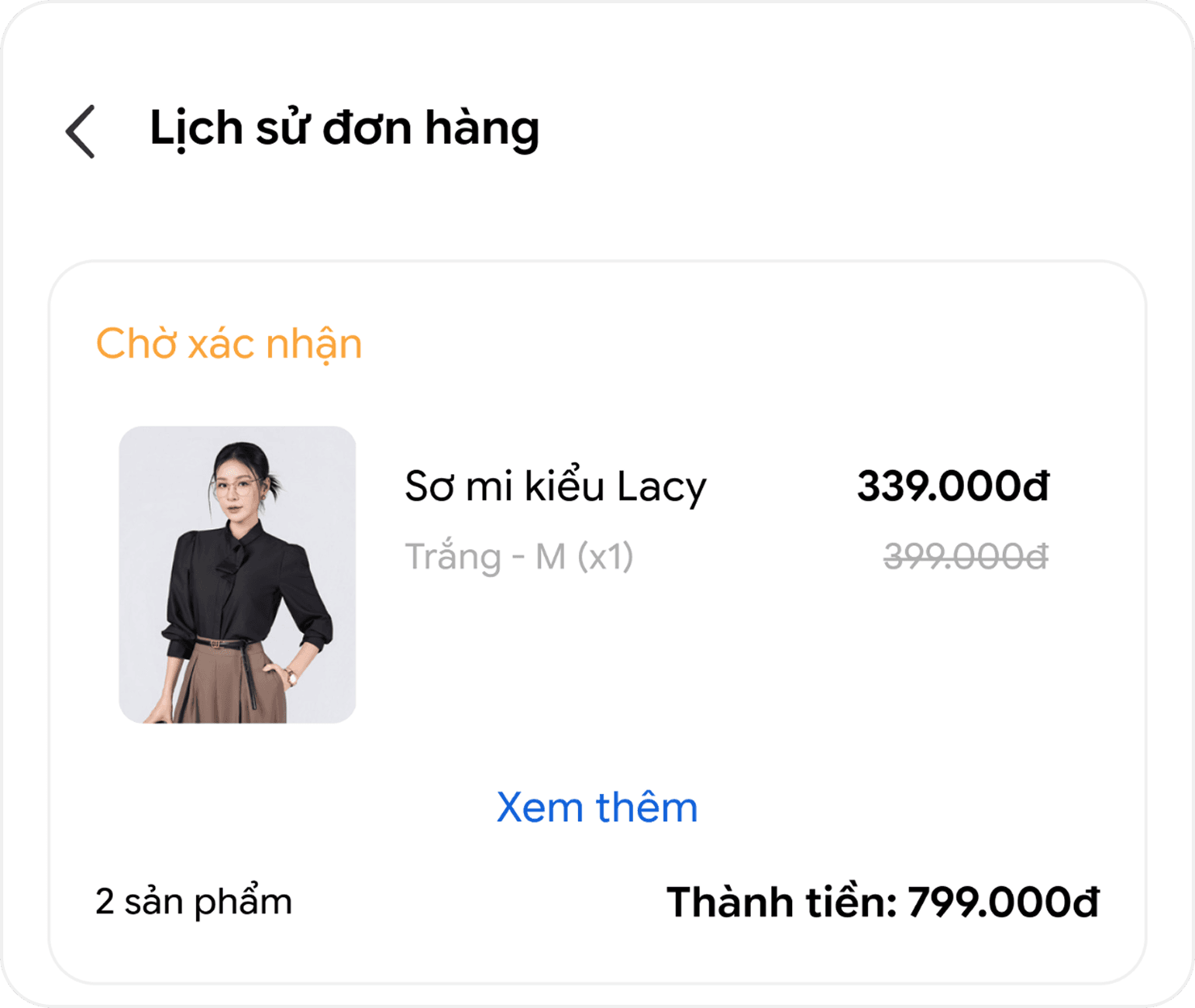
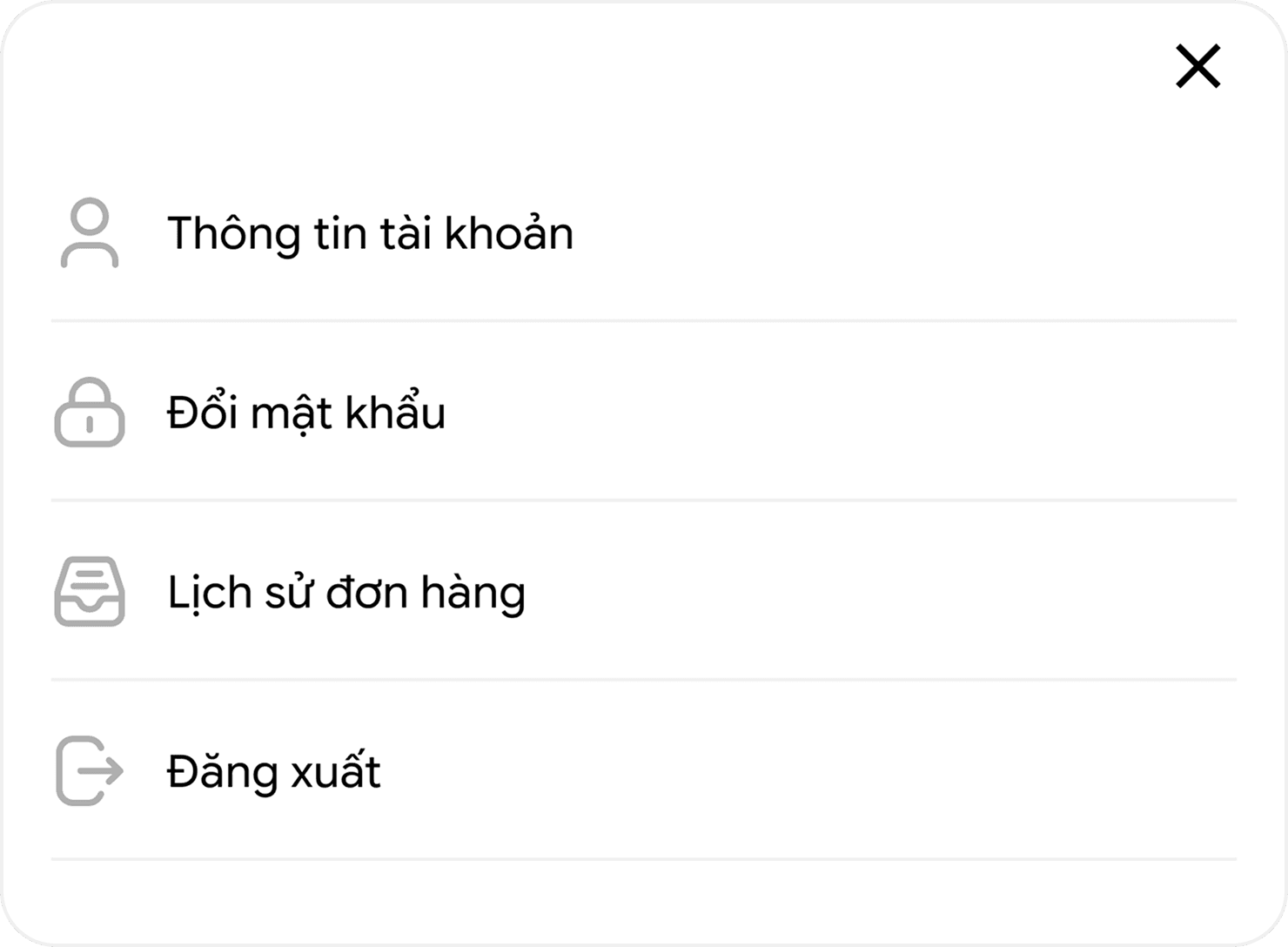
Case 2:For customers who do not have an account on the WebsiteAfter completing the online shopping process on the Website, please register an account on the Website using the phone number used for ordering and follow the same order tracking steps as Case 1.
Was this article helpful?Have feedback or questions? Reach out to us at cskh@cchat.vn or call 0868 506 800 Customer Service for assistance, thank you!



Policies
Customer Service
News & Promotions
CCHAT Store System
CChat - Ba Trieu: 58B Ba Trieu, Hoan Kiem, Hanoi
CChat - Chua Boc: 187 Chua Boc, Dong Da, Hanoi
CChat - Pham Ngoc Thach: 102A.B1 Pham Ngoc Thach, Dong Da, Hanoi
CChat - Hang Voi: 42 Hang Voi, Hoan Kiem, Hanoi
CChat - Hai Phong: Floor 2 Aeon Mall Hai Phong
Business Partnership
Trang Anh Manufacturing & Trading Co., Ltd.. Address: No. 38, Lane 27 Ly Son, Group 30, Ngoc Thuy Ward, Hanoi City, Vietnam. Tax Code: 0108731654

© CCHAT All rights reserved